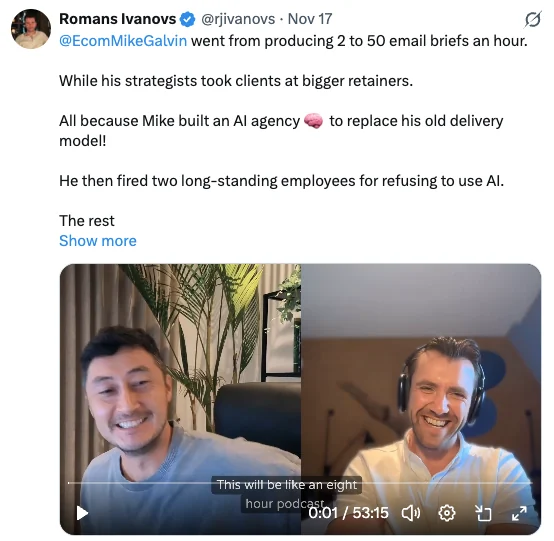
Mike rebuilt his agency's entire delivery engine with AI.
He's now producing 45-50 email briefs in an hour, giving his team access to the strategic knowledge previously trapped in his head and serving clients on bigger retainers with fewer accounts per strategist.
In this guide, I break down how his agency brain works and the steps you can follow to build yours.
What we'll cover:
- Inside Mike's AI agency brain
- Choose what AI should improve first
- Get your knowledge out of your head
- Build your agency and client knowledge bases
- Connect your data
- Build your first complete AI workflow
- Make AI check its bloody work
- Turn every correction into an improvement
- Get your team using it and understanding it
- Turn recovered capacity into business results
Let's go.
Mike runs No Limit Email, a multiple 7-figure retention agency. His methodology, client knowledge and performance data now feed into workflows that create briefs, create strategy, copy and designs, and catch mistakes while helping his team understand the reasoning behind the work.
The result? Capacity up. Better support for strategic decisions. Less knowledge trapped in the founder's head.
1. Inside Mike's AI agency brain
When you look at Mike's setup, you'll see a system that knows how his agency approaches strategy, what is happening with each client, and which standards the work needs to meet.
His team can use that knowledge to create briefs, copy and designs, investigate performance, prepare for client calls, work through their priorities and track operational delivery metrics.
The system brings together 5 things:
| Area | What it contributes |
|---|---|
| 1. Agency methodology | How the agency approaches strategy and makes decisions |
| 2. Client knowledge | Products, offers, goals, preferences and previous decisions |
| 3. Performance data | The numbers needed to analyse results and support recommendations |
| 4. Workflows | Repeatable steps for producing and moving work forward |
| 5. Checks and feedback | Ways to catch mistakes and improve future work |
One example is his daily "start work" command. It pulls together relevant tasks, feedback and messages from tools such as ClickUp, Slack, Figma and Google Docs, then creates a ranked list of what needs attention.
Another is brief creation. Before producing a brief, the system checks client context, recent work, products, scope and methodology. The output then goes through review.
This is where the foundations matter. The workflow needs to know what's going on with the client, how your agency does the work, and what good actually looks like.
2. Choose what AI should improve first
"I want an AI agency" is a rather expensive question.
Start with the thing that keeps eating your time or creating sh*t work or dragging you back into delivery or operations.
Maybe your strategists spend hours assembling briefs. Maybe client feedback gets missed. Maybe your team is bloated and no one knows what people spend their time working on.
Pick one. You don't need to rebuild the whole agency this afternoon.
Here's what that looks like in practice:
- Name the problem.For example, "Our campaign briefs take too long because I'm still correcting the strategy."
- Define what good looks like.Pick three of your best produced briefs. Explain what makes them good.
- Time the current effort.Let's say writing takes 20 minutes, your review takes 20, and corrections take another 20. That's 60 minutes per brief, including 20 minutes of your time. You should have this data anyway if you're tracking time.
- Give someone ownership.Your lead strategist owns the workflow. So they check the output and make sure corrections feed back into the system.
- Set a concrete target."Get an approved brief done in sub 20 minutes, with the lead strategist handling routine approvals and only agreed exceptions coming to me."
Now you've got a specific job for AI and a way to tell whether it's actually helping.
3. Get your knowledge out of your head
You open a brief and immediately know something is wrong.
Your strategist opens the same brief and thinks it looks fine.
What did you notice that they didn't?
That's the gap you need to close.
Mike put his retention knowledge, strategy playbooks and lessons from previous tests into the agency's knowledge base. It gave the team and the AI access to the reasoning behind the work.
Get that reasoning out of your head in enough detail for someone else to actually use it.
Your steps:
- Pick three examples.A strong one, a weak one and an unusual case from your chosen workflow.
- Record yourself reviewing each one.Explain what you notice, which evidence matters and why you would choose a particular approach.
- Turn the recording into a playbook.Capture the objective, required evidence, decision rules, constraints and approval criteria.
- Have an experienced team member test it.Give them another example and see whether the playbook gets them there.
For example, a retention playbook should help someone understand when to recommend a flow, what problem it addresses, what customer data it requires and when another approach would make more sense.
"Make it more strategic." Great. What does that actually mean? Show them what you're seeing and why you'd change it.
Someone can use the playbook to explain a recommendation without asking you to translate it.
4. Build your agency and client knowledge bases
Right. Now give all that knowledge a proper home. Split it into two areas.
Your agency knowledge contains the methodology and standards you want applied across the business. Your client knowledge contains the context needed to apply that methodology to a particular client.
| Agency knowledge | Client knowledge |
|---|---|
| Strategy playbooks | Business goals and current priorities |
| Delivery standards | Products, prices and offers |
| Approved examples and why they worked | Brand voice and approved messaging |
| Review criteria | Scope, budget and delivery commitments |
| Known mistakes and limitations | Previous decisions and feedback |
| Roles and responsibilities | Relevant stakeholder preferences |
Mike's system captures who the team works with and what matters to those people.
One person on the client's team wants to know, "How will this make us more money?" Another wants to know, "Does this sound like our brand?"
Your AI needs to know who you're speaking to and what matters to them. The facts stay the same. What you focus on changes.
Start with one client and collect what AI needs for the first task you want it to do.
Your steps:
- Put all the useful information together.Their goals, products, prices, brand guidelines and recent feedback.
- Clean it up.Remove old versions. If one document says "10% discount" and another says "15%," confirm which is correct.
- Make someone responsible for keeping it current.Add their name and the date they last checked it.
- Decide where the correct answer comes from.For example, use the client's current product catalogue for prices, rather than an old campaign brief.
- Keep each client's information separate.If something is missing, make the AI flag it and ask. We don't need it getting creative with the client's pricing.
Mike keeps that knowledge in a GitHub repository. Whatever you use, check that the workflow actually finds the right information and shows where it came from.
5. Connect your data
Your client changes their offer. The brain still recommends last month's discount.
The writing is excellent. The offer is wrong.
Build the updates into the system from day one. Otherwise you'll be fixing very well-written nonsense.
Mike uses a separate warehouse for client metrics and refreshes changing information on different schedules. Products, offers, client decisions and performance data don't all need the same update frequency.
Your steps:
- Identify the sources your workflow depends on.Everything the output relies on to be correct.
- Define what needs updating and how frequently.Pricing moves on a different clock to performance data.
- Connect those sources through your implementer.Then compare a sample of the retrieved information with the original systems.
- Make failed updates and stale information visible.Silent failures are the expensive kind.
For metrics, agree on the calculation, reporting period and source before building reports.
A warehouse gives you somewhere to organise historical data across systems. Its value comes from making that data consistent and usable for the questions your team needs to answer.
Same thing with your operations dashboard. If you extend the brain into capacity, delivery costs or margins, connect each number to a decision and an owner. What changed? Who needs to investigate? What action might follow?
A colourful number that nobody acts on is office decoration.
The information matches its source, and the team can see how current it is.
6. Build your first complete AI workflow
Now let's give the system an actual job. For example: create a campaign brief ready for strategist approval.
Mike's brief workflow draws on client history, current work, product information and agency standards. It also checks previous briefs to avoid duplication.
Here's the sequence to build around:
- Receive the request and identify the client.
- Retrieve the relevant methodology and client context.
- Check scope, recent work and required inputs.
- Flag missing information or conflicting instructions.
- Produce the brief in the agreed format.
- Run the required checks.
- Send it to the responsible reviewer.
- After approval, update the task and record the decision.
Be clear about where the work starts, what comes out, and who picks it up next. Otherwise you've still got someone chasing everyone in Slack.
Also define what it is allowed to do. Creating a draft, updating a task and launching a campaign are separate actions. Give each an explicit approval rule.
Give those requirements to your implementer. But you, as the founder, still need to explain what good work looks like. They shouldn't have to guess your methodology.
7. Make AI check its bloody work
Mike gave an example you'll probably recognise if you've used AI for delivery.
It recommends a flow, the logic sounds sensible, but then someone tries to build it and discovers that the platform cannot support the proposed trigger or filter.
The brief has passed the "sounds clever" test. Unfortunately, the client needs it to work.
Build checks around the actual failure points:
| Check | What it needs to establish |
|---|---|
| Facts | Products, prices, links and other claims match their sources |
| Methodology | The recommendation follows your decision rules |
| Client fit | It respects the client's goals, scope and constraints |
| Feasibility | The proposed work can actually be implemented |
| Human approval | The accountable person understands and approves it |
For your own workflow, test in a draft or test environment first.
Mike also uses independent analyses from multiple models for more complex questions. Each looks at the problem separately before they compare their findings. Use that as another layer of review, and check the conclusions against the evidence. Three models agreeing still isn't proof.
Before rollout, test normal cases, incomplete inputs and known past failures. Keep those cases so you can rerun them after changes.
Failed checks lead to correction or escalation before work is released.
8. Turn every correction into an improvement
You correct a mistake on Monday. Someone else makes it on Thursday. By Friday, your feedback has become considerably less diplomatic.
Mike uses a "wrap up" command to review a session and propose updates based on mistakes, corrections and lessons.
When you fix something, feed the lesson back into the system. The next person shouldn't have to discover the same bloody problem.
Your steps:
- Record what went wrong and how it was discovered.
- Capture the correction and the reasoning behind it.
- Ask the AI to propose an update to the relevant instructions.
- Have the workflow owner approve the change.
- Add the example to your tests and check the revised workflow.
Make sure the lesson goes in the right place. A limitation in a platform may affect every client using it. A particular client's preference belongs in that client's context.
One person disliking a phrase shouldn't rewrite your entire copy methodology.
You're improving the knowledge, instructions and checks the system uses next time. Someone still needs to spot the errors, check the fixes and own the standard. Give that responsibility to a person.
A known failure has become an approved improvement, and the revised workflow passes the relevant tests.
9. Get your team using it and understanding it
Mike made AI part of how the agency works.
His team discusses AI regularly, shares work in a dedicated Slack channel and tracks whether people are using the workflows. Team members build improvements themselves. His QA lead spotted gaps and created an additional check. A designer built a way to review work inside Figma.
That's what you want to build towards. People who use the system, question the output and take responsibility for improving it.
- Start with a small pilot group and a named workflow owner.
- Give them real tasks and time to practise.
- Then review, improve and see if you can roll it out to the rest of the team.
Now, there's another problem you need to deal with. Does your team actually understand what AI is producing?
Mike noticed the risk of strategists producing recommendations they couldn't explain. He created "teach me" and "quiz me": explain the strategy in plain English, then check whether the person understood it.
Build that into your rollout. Before someone takes the work to a client, get them to explain why they're recommending it, what supports it and where it might fall short.
"Claude said so" is a fairly short client relationship.
Track completed work, review time, errors and founder escalations alongside usage. Spending more on tokens doesn't tell you whether the agency is getting better.
The team uses the workflow, understands the output and handles routine work without pulling you into every decision.
10. Turn recovered capacity into business results
Mike moved towards larger retainers and fewer clients per strategist as his team gained access to better knowledge and faster workflows.
Now you've got a choice about what to do with the time you've freed up. Decide where it goes.
| Direction | How you use the capacity | What to watch |
|---|---|---|
| Serve more clients | Increase workload within proven capacity limits | Quality, workload and client retention |
| Deepen the service | Spend more time on analysis, strategy and client needs | Client outcomes and delivery effort |
| Support larger retainers | Build and demonstrate a more valuable service | Pricing achieved and retention |
| Improve delivery efficiency | Reduce rework and time spent per deliverable | Total delivery cost and quality |
| Reduce founder involvement | Transfer routine decisions to the team | Founder hours and escalations |
Mike was also clear that he was still working on handing over more strategic leadership. The brain helps with that transfer, but you still need someone to own strategy and develop the team. This is still your responsibility until you hand it over properly.
You can show what improved, where the recovered capacity went and what the agency gained from it.
Start with one workflow your team repeats every week.
Capture the judgement behind it. Connect the context. Build the checks. Put it into real use and improve it.
You don't need 110 commands by Friday. You need to start.
Want this built into your agency?
The Founder Dependency Audit shows you where your business still relies on you and what needs to change. We look at delivery, operations, sales, team roles, decision-making and AI, then show you what to fix first so you can step back without disrupting what already works.
Book your audit call- Romans